PROJECT BACKGROUND
Cvent is the leader in the events software industry. Our UX team included over 100 designers, and 10+ content designers & localization experts. All of these individuals interact with our software’s written content for their job.
I compiled hundreds of success messages across the entire product ecosystem to create a comprehensive style guide.
PROBLEM(S)
Frequent questions from product designers on what success message to use
Lack of a “glossary of terms” for designers to reference
Large product ecosystem leading to lack of consistency across messaging
SOLUTION(S)
Compiling a record of all the existing success messages in our product
Sorting the messages into categories & creating a style guide for existing messaging
The next step would be comparative research & drafting a “best practices” document
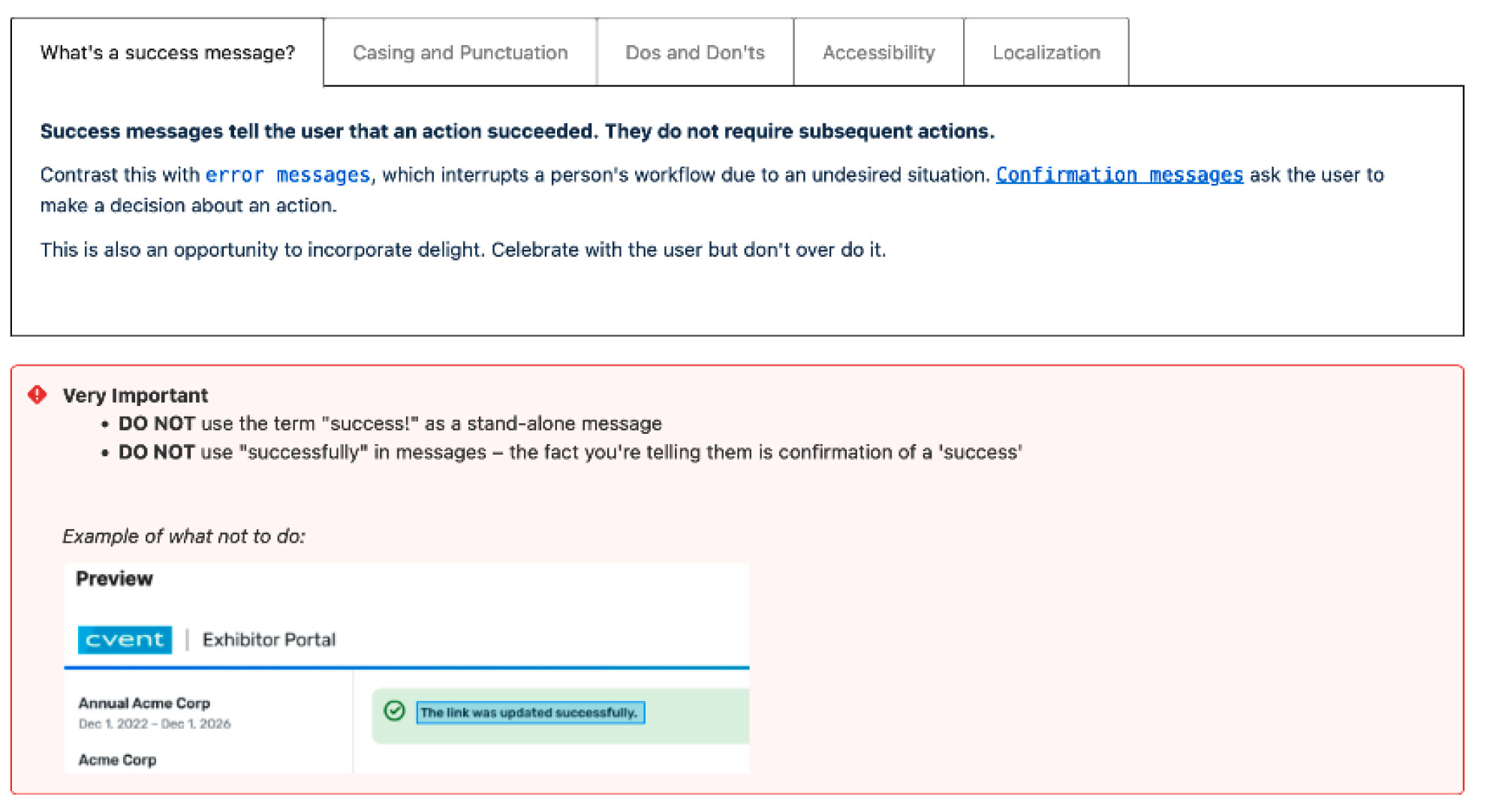
The style guide begins by defining what a success message is — when should it be used vs. a confirmation message? What should the tone be?
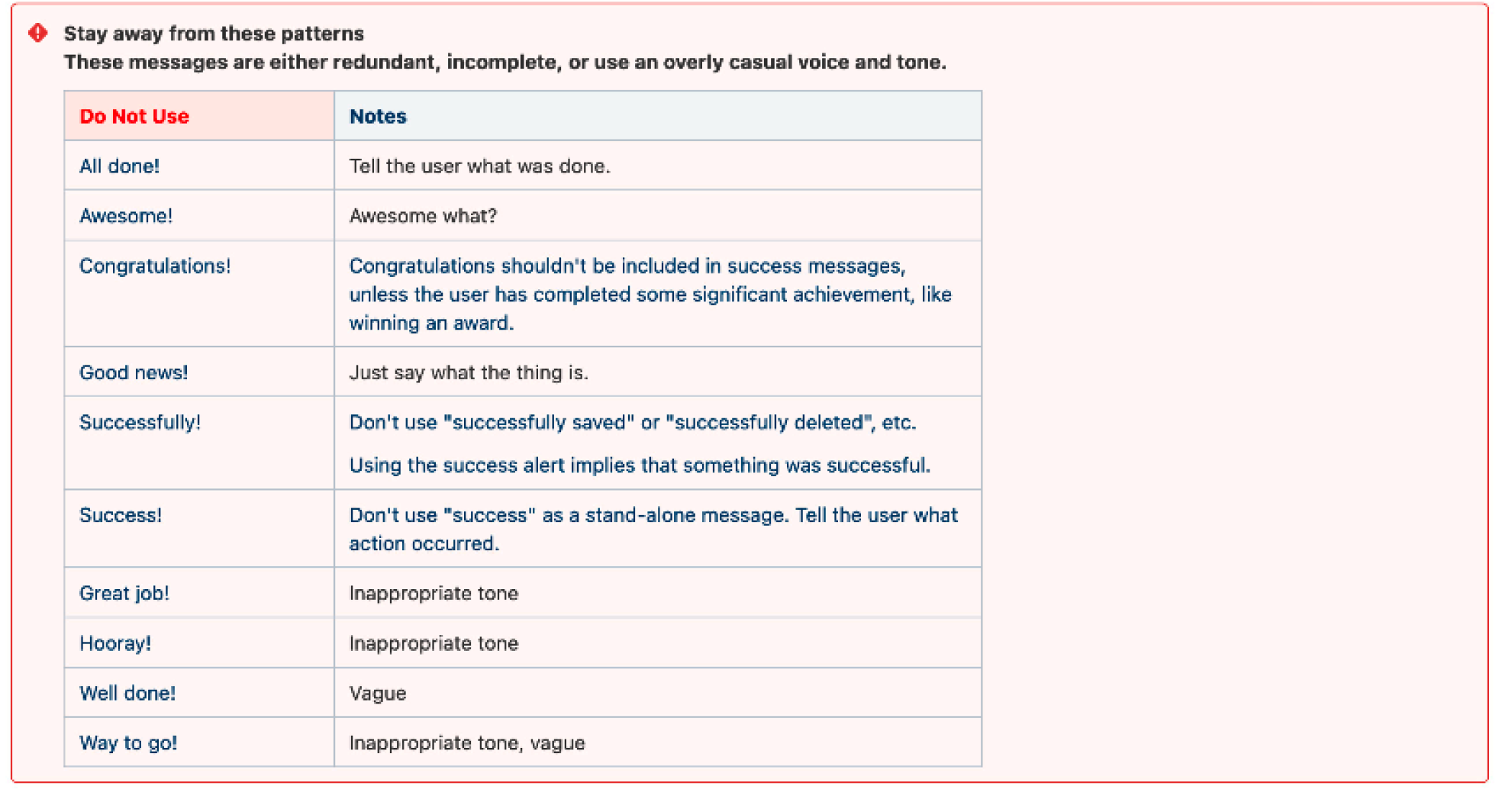
Examples of messages to avoid — “All done!” (need to know the action that was performed); “Great job!” and “Well done!” (infantilizing and unhelpful).
A few quick pointers to address commonly seen patterns - avoiding the word “success” as a stand-alone message, as well as avoiding the word “successfully” to inform the user that an action has happened. (Presumably, since it’s a success message, it’s happened successfully).
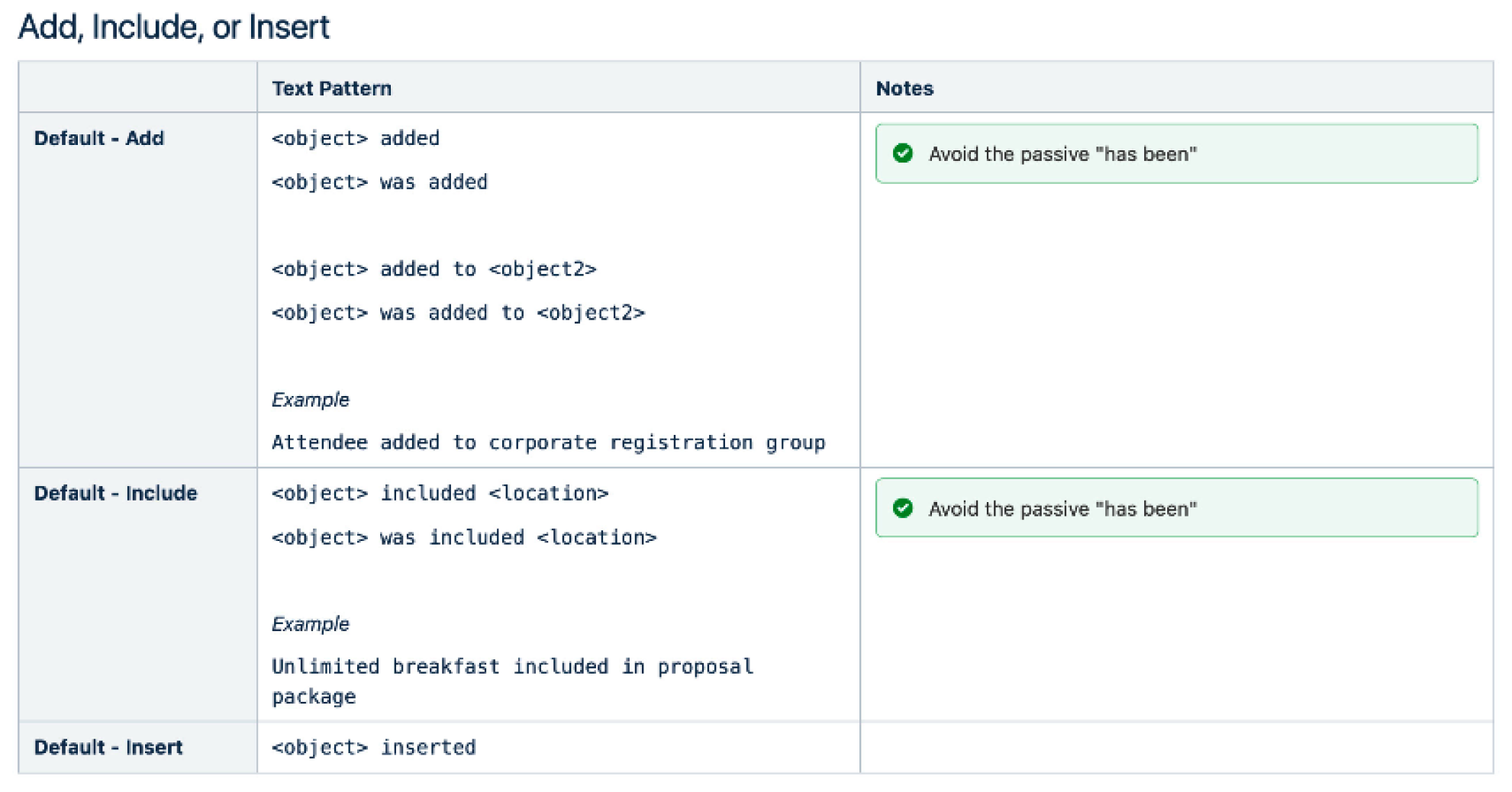
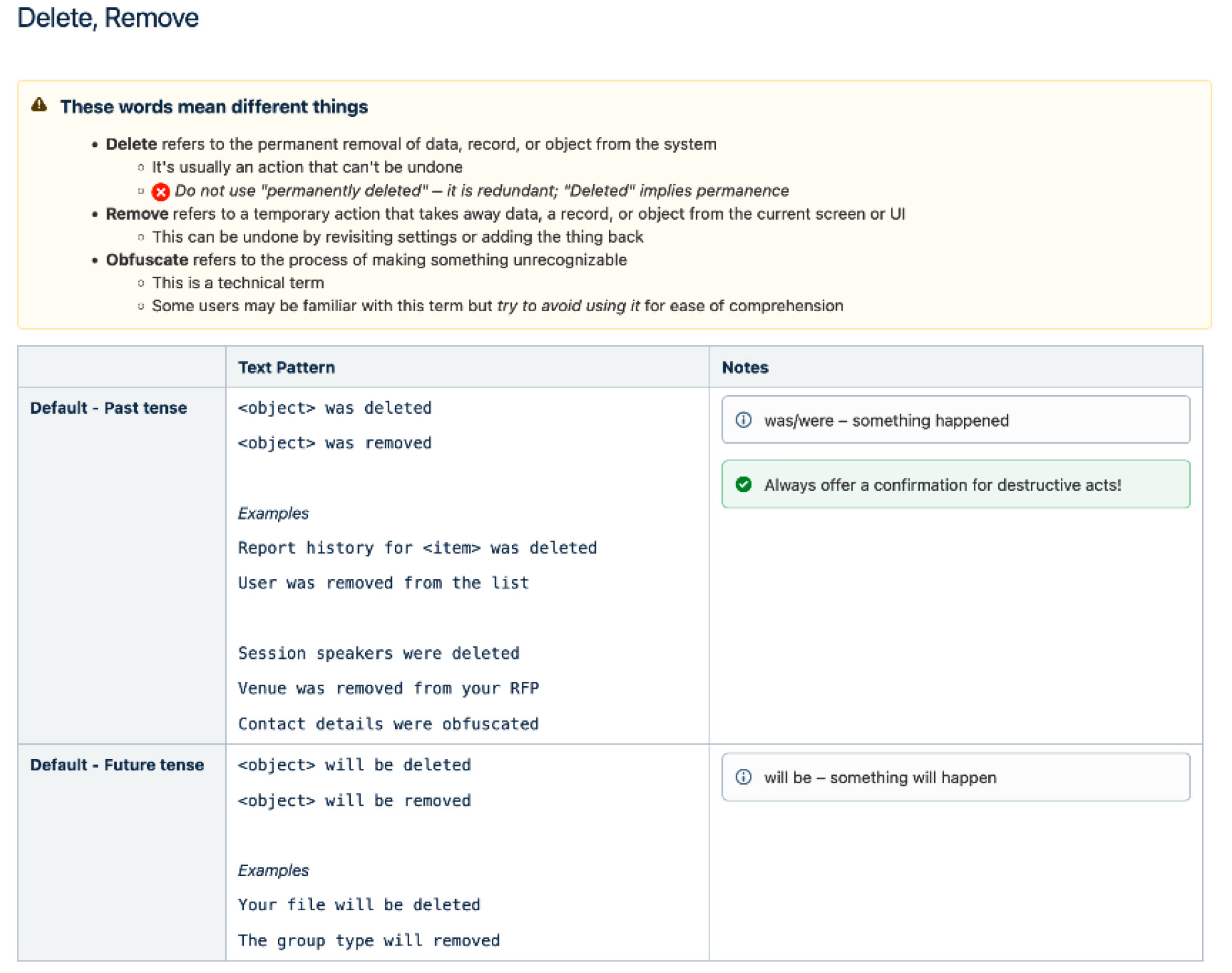
The rest of the style guide is organized by action type — add, change, remove, etc. Each example includes different verbs that could be used to mean the same thing (insert/ add/ include), as well as different tenses. I also included guidance on avoiding the more passive “has been <verb>.”
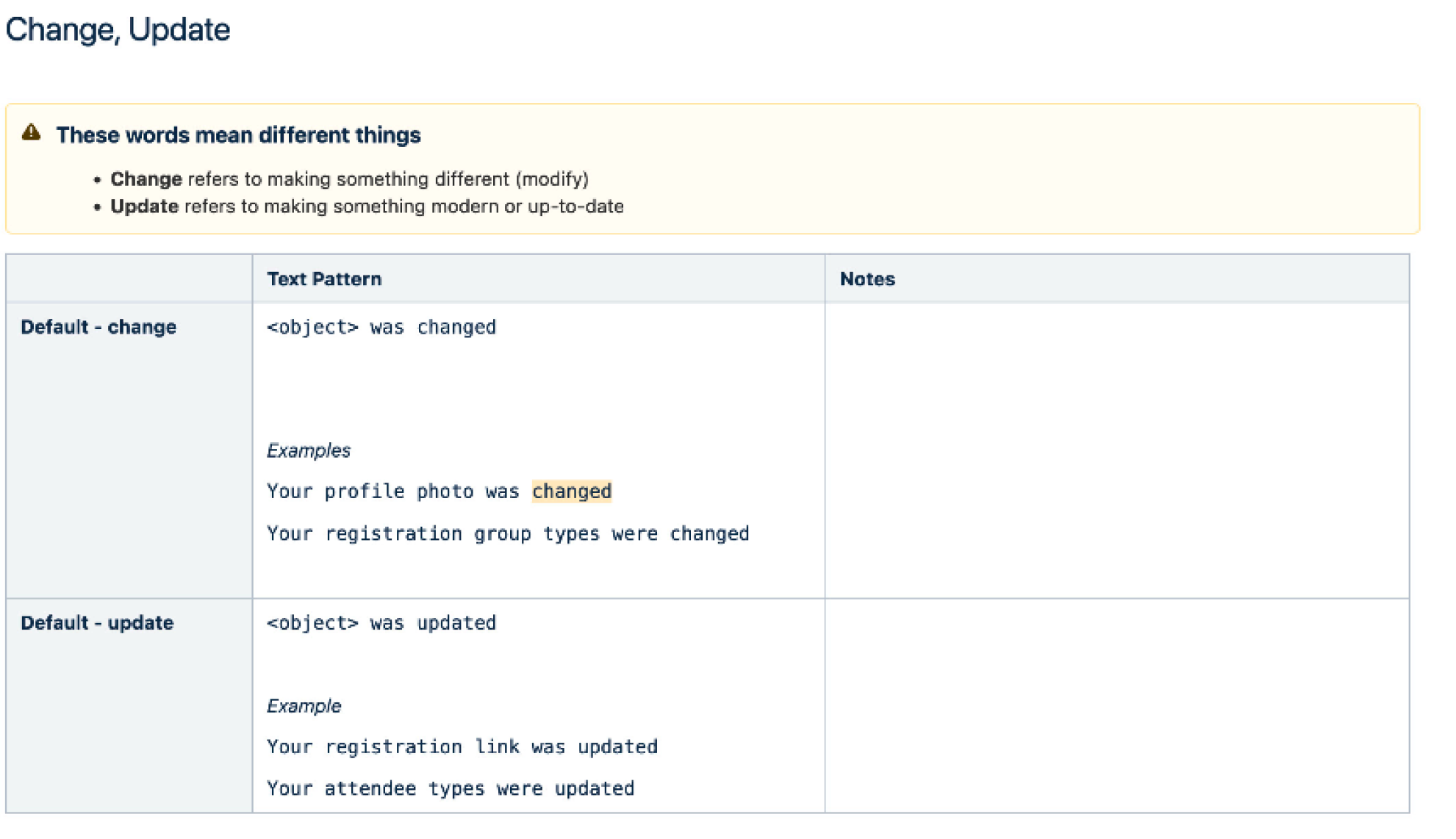
For actions that are similar but could have conflicting meanings, I added clarification and definition (ex: change vs. update).
For actions that had destructive properties, the definition of terms is incredibly important, as is knowing if the user understands what that term means. In this case, “delete”, “remove”, and “obfuscate” all have different consequences.
Specifically, although “obfuscate” sounds like an action that most users wouldn’t be familiar with, it is a technical term for the obliteration of user data within our system to comply with data privacy laws, and is the correct term to use instead of “delete” or “remove”.